EN
Download

See more. Play with confidence.

A light overlay for Dota 2 with draft recommendations, plus timers, reminders and item hints during the game. After the match, a clear review and recommendations on what to work on in your next games.

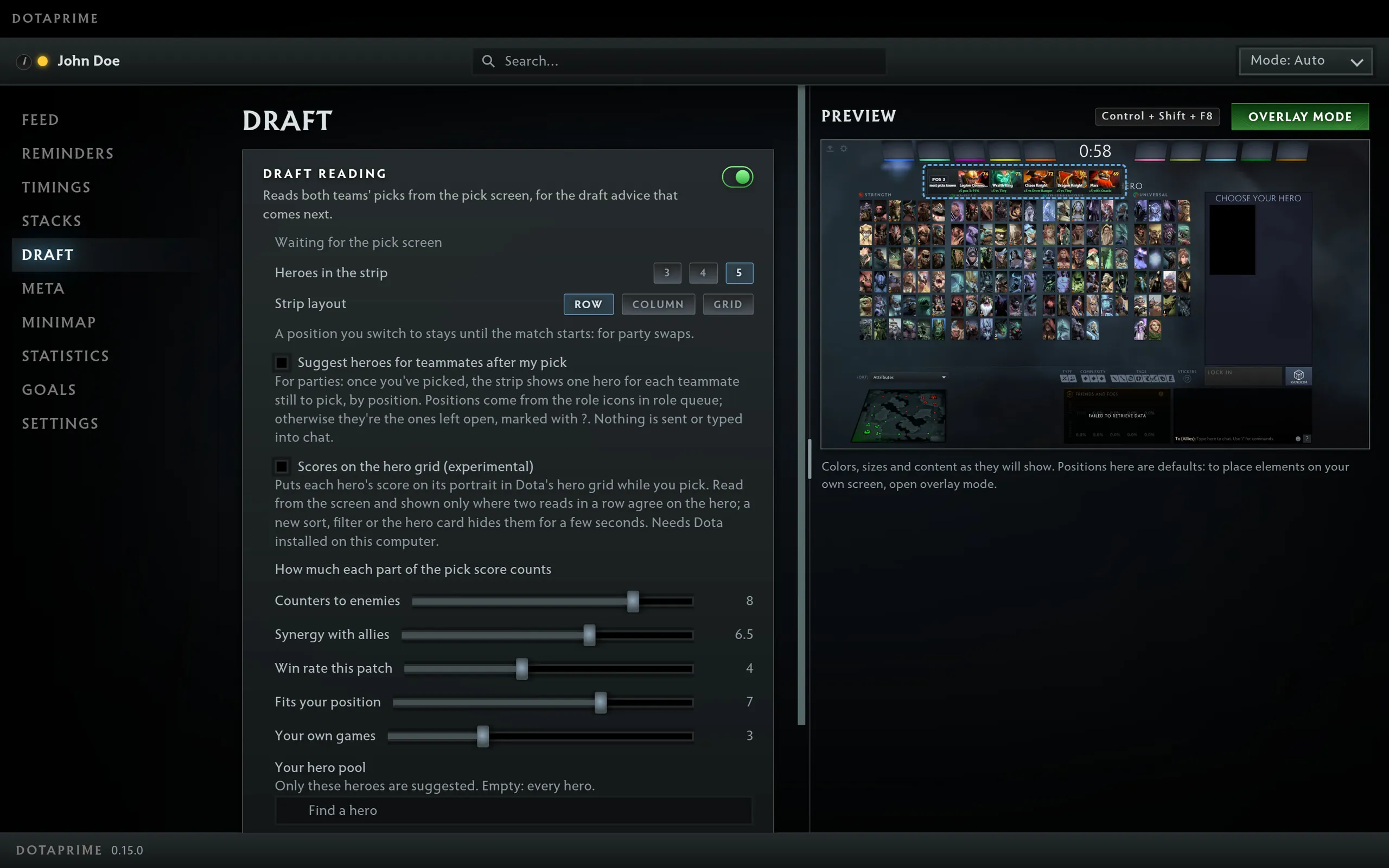
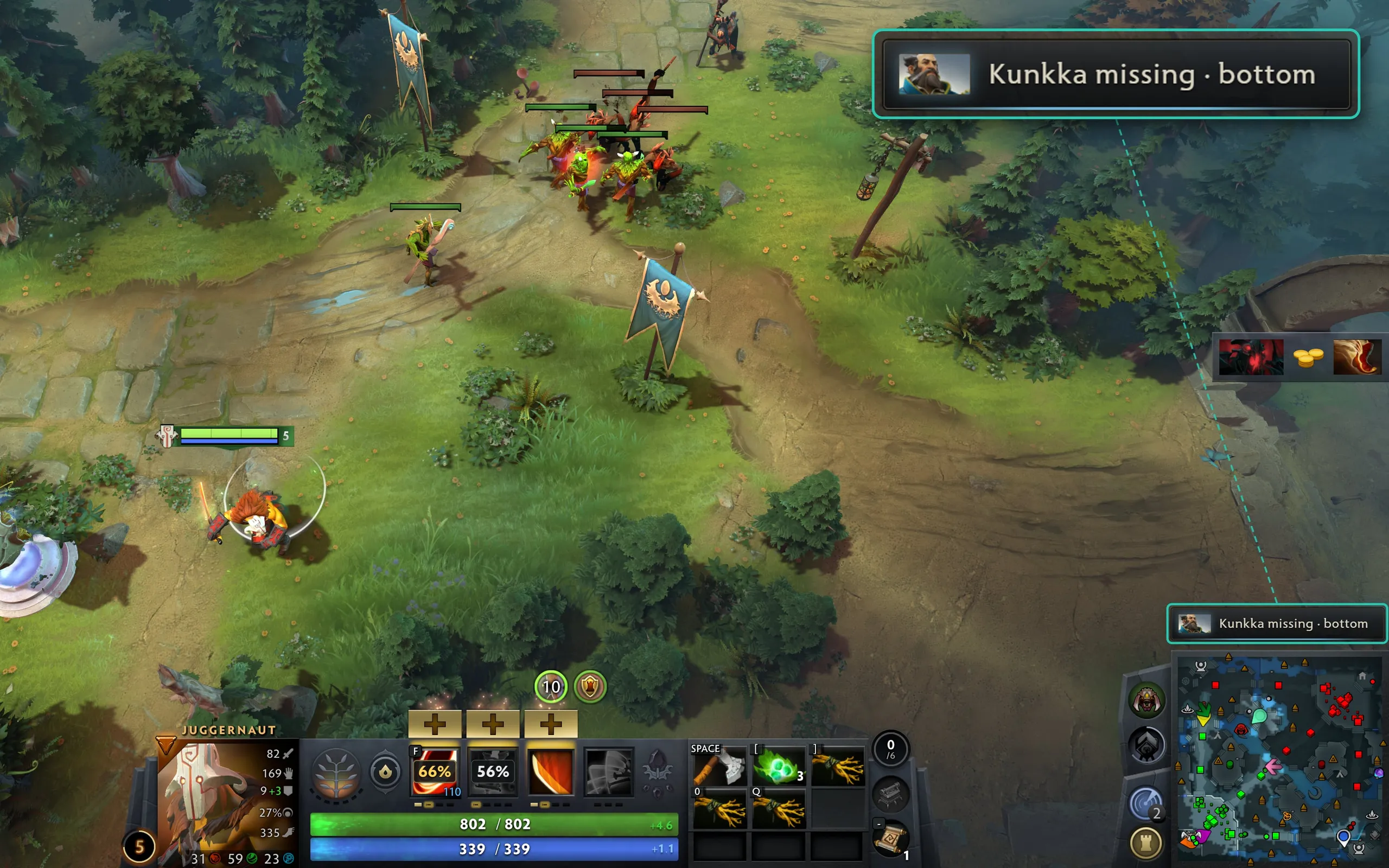
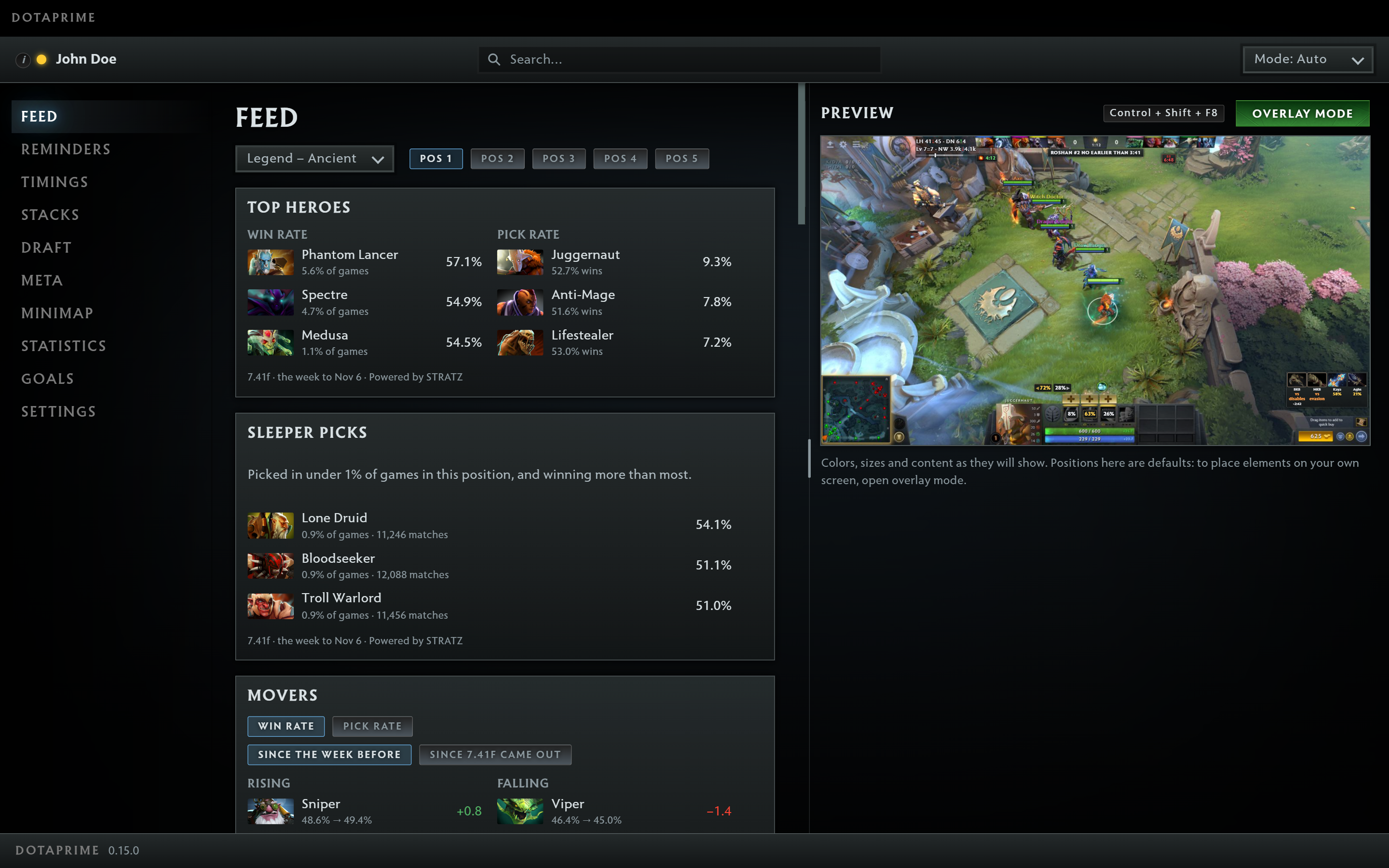
The DotaPrime app window: a feed of hero statistics for the chosen rank and position, and a preview of the overlay over a Dota 2 matchOpen the screenshot at full size
  • Valve’s official GSINo memory reading
  • No OverwolfA standalone, light app
  • No adsNothing pulls you out of the game
  • Free versionYour first 7 days of Premium are free

One app for the whole match

Draft recommendations, useful tools during the game and a review of how it went afterwards — all in one place.

Timers so you don’t miss a thing

Free
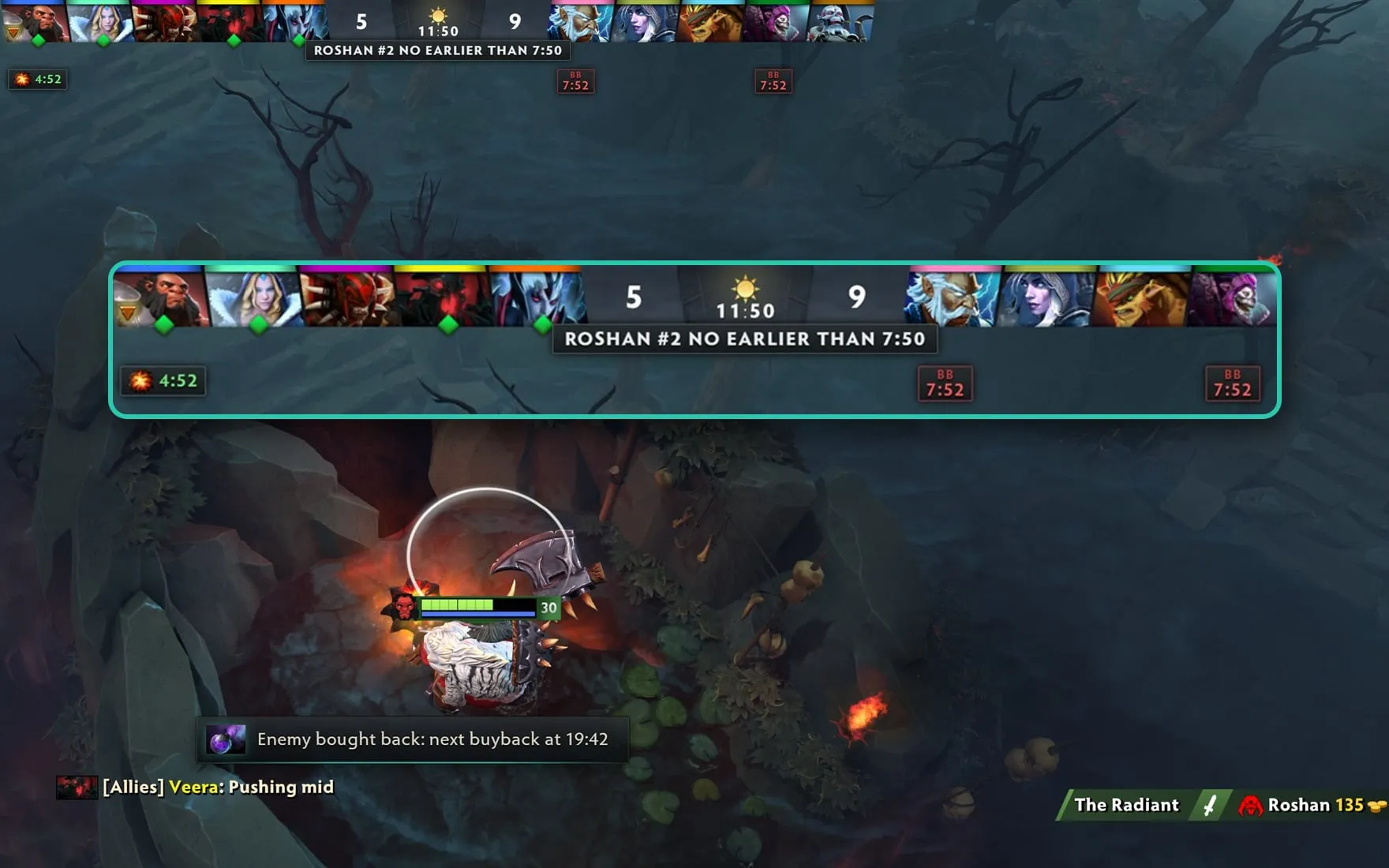
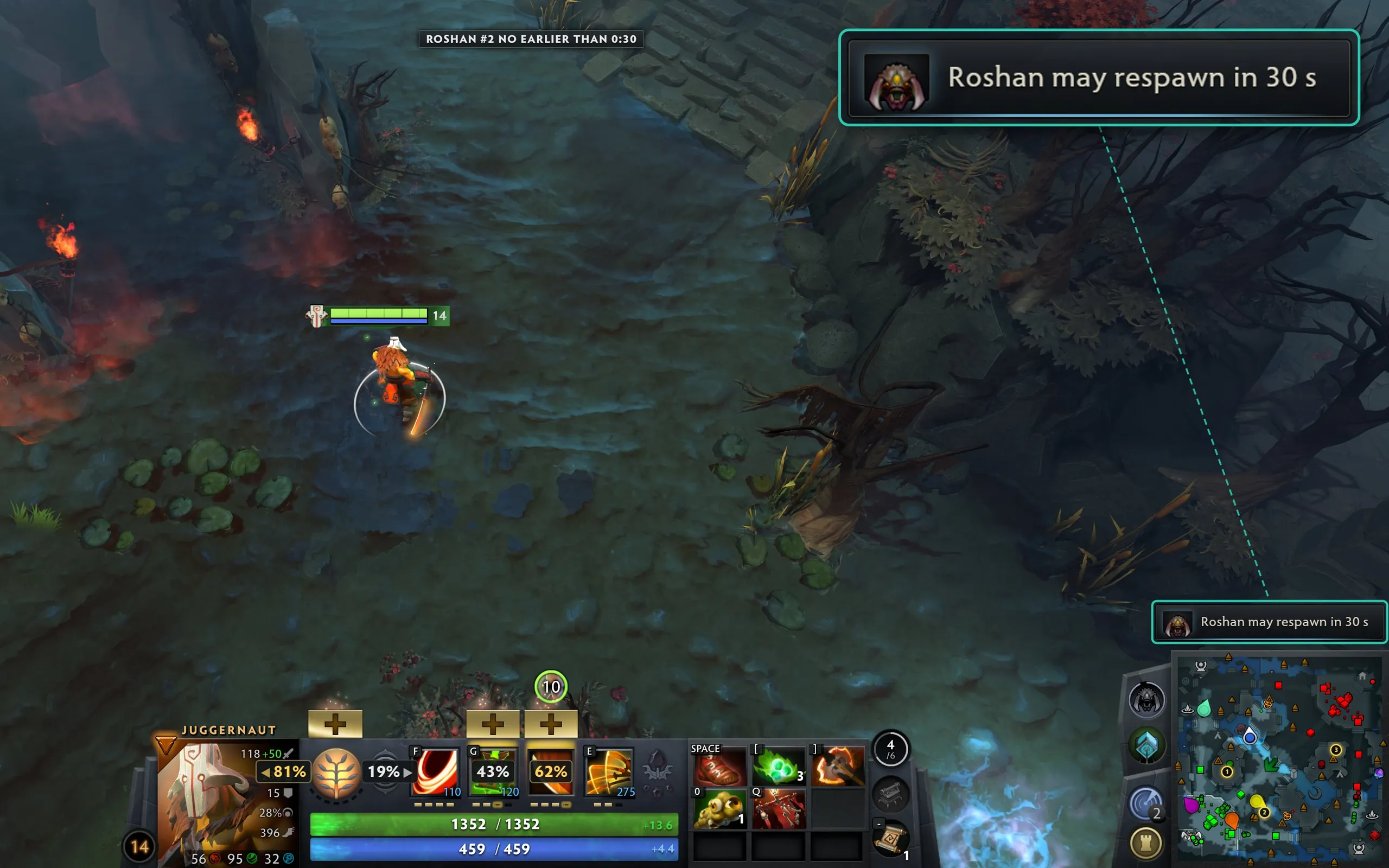
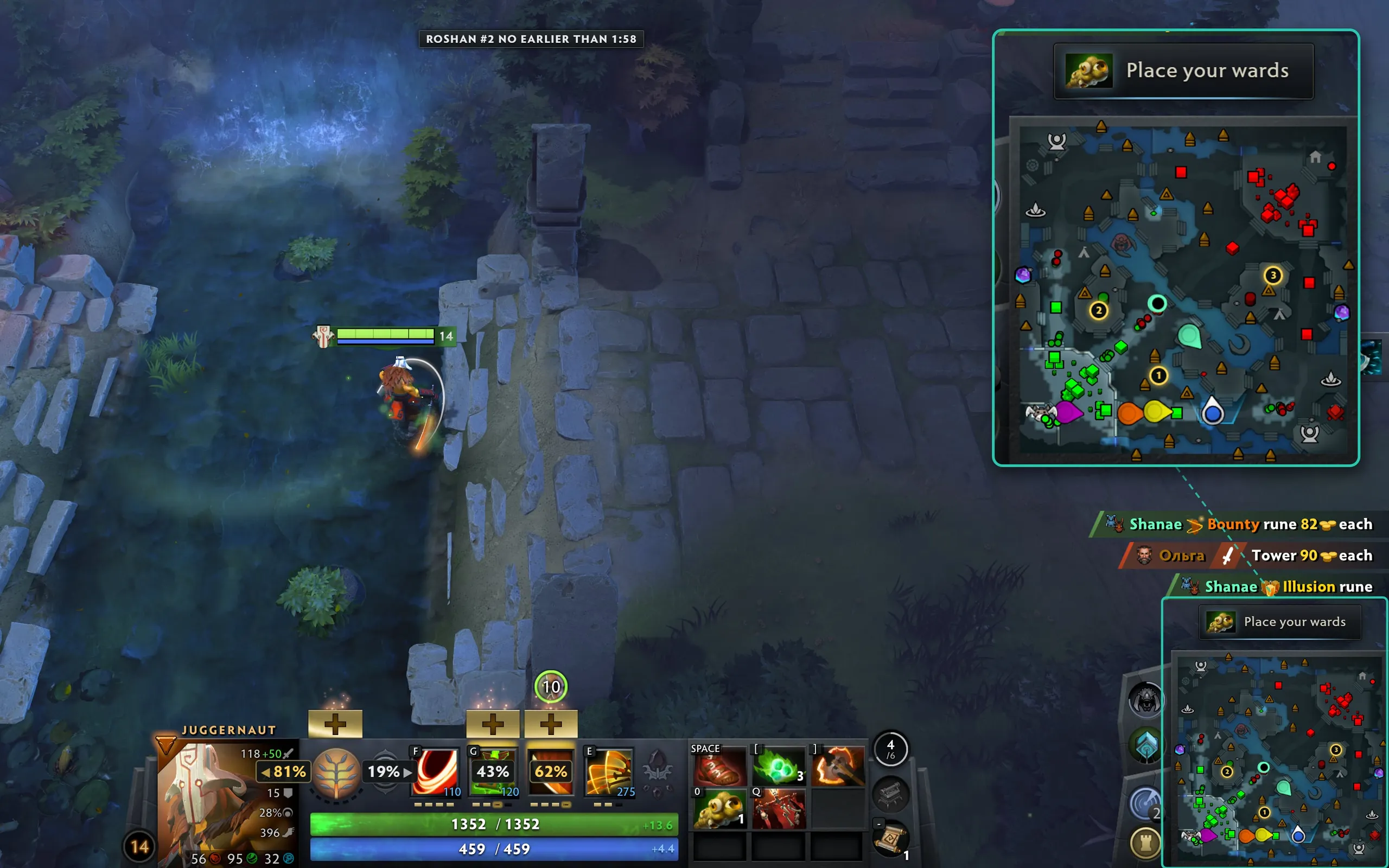
  • Roshan: the 8:00–11:00 window and a reminder 30 seconds before it opens.
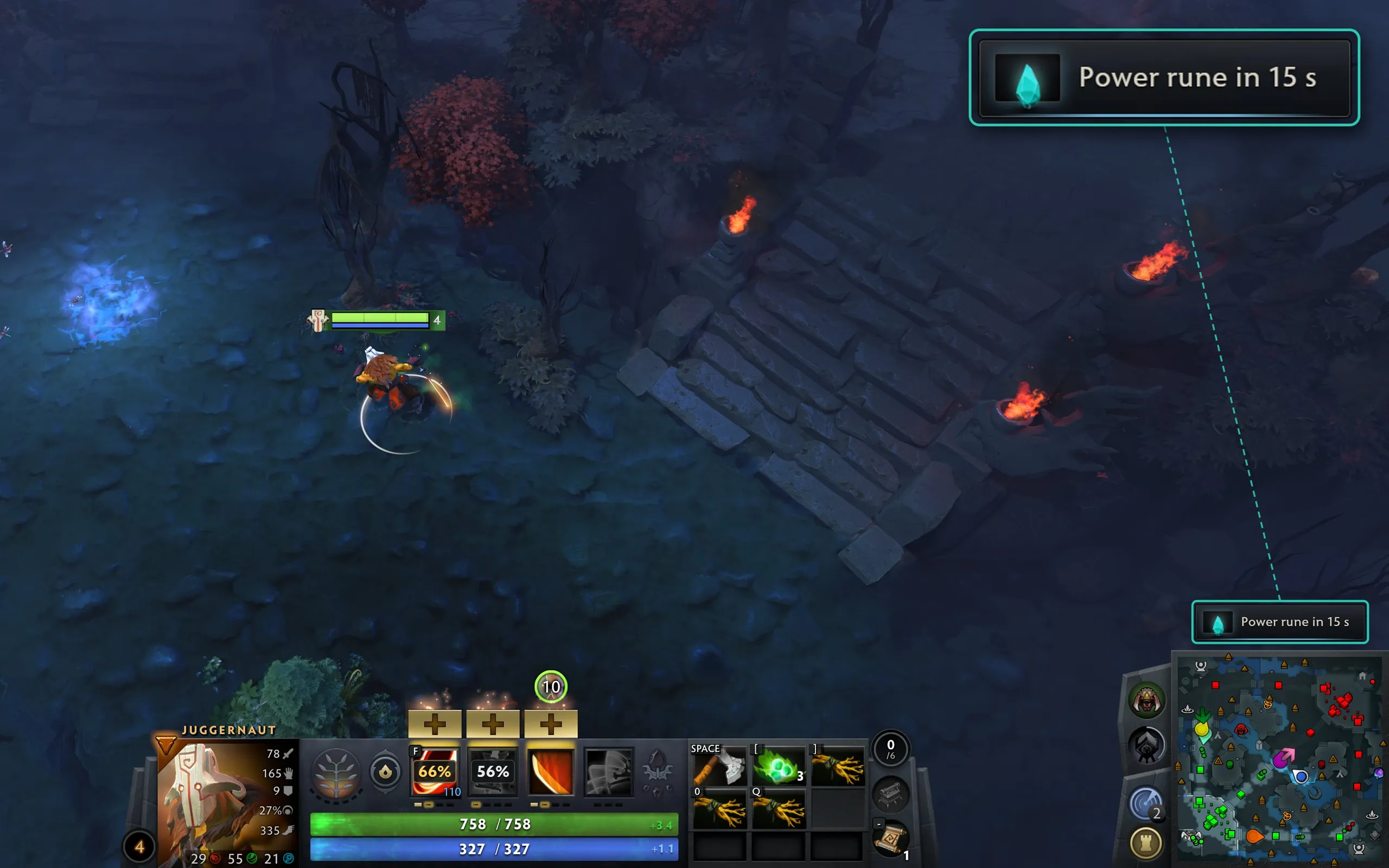
  • Runes and lotuses: a warning ahead of time, so you can get into position.
  • Enemy glyph: when it’s back.
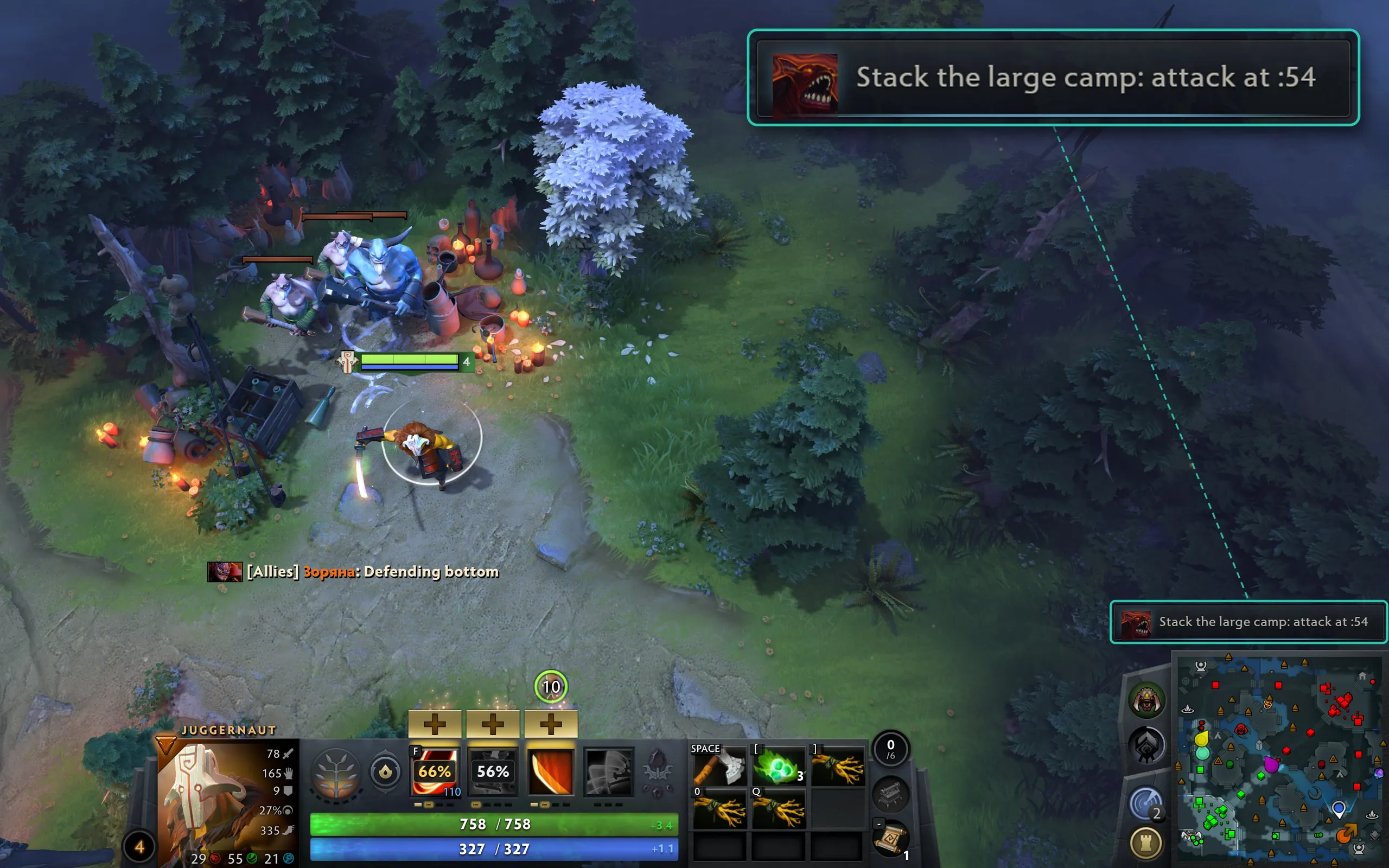
  • Stacks: the exact second to hit the camp, for that camp’s type.
  • Your timing: you choose how many seconds ahead to be warned.
Premium
  • Aegis: a timer under the holder’s portrait, for allies and enemies.
  • Enemy buybacks: 8 minutes until the next buyback, under the portrait.
Items and skill build

Free
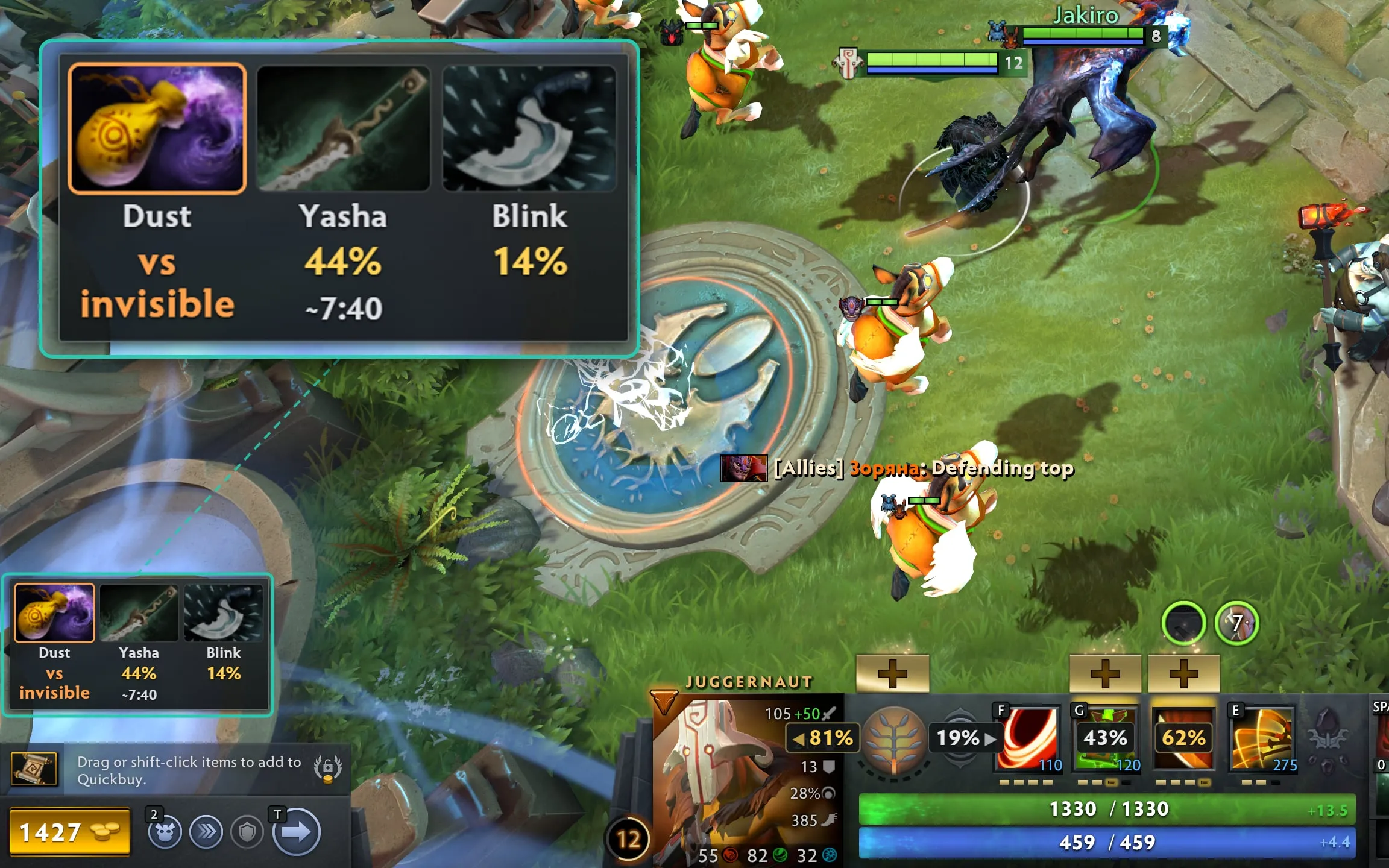
  • Next items: up to three suggestions at the base or after a death.
  • Pick statistics: how many players on your hero buy them after your current build.
  • Match-aware: BKB against stuns, Dust against invisible heroes.
  • Role-aware: different advice for supports and carries.
  • Rank timings: when players of your level finish key items.
  • Hotkey: hints on screen only when you need them.
Premium
  • Skill build tips: recommended abilities and talents from recent matches on your hero, with how often each option is picked.

Hero suggestions in the draft

Premium
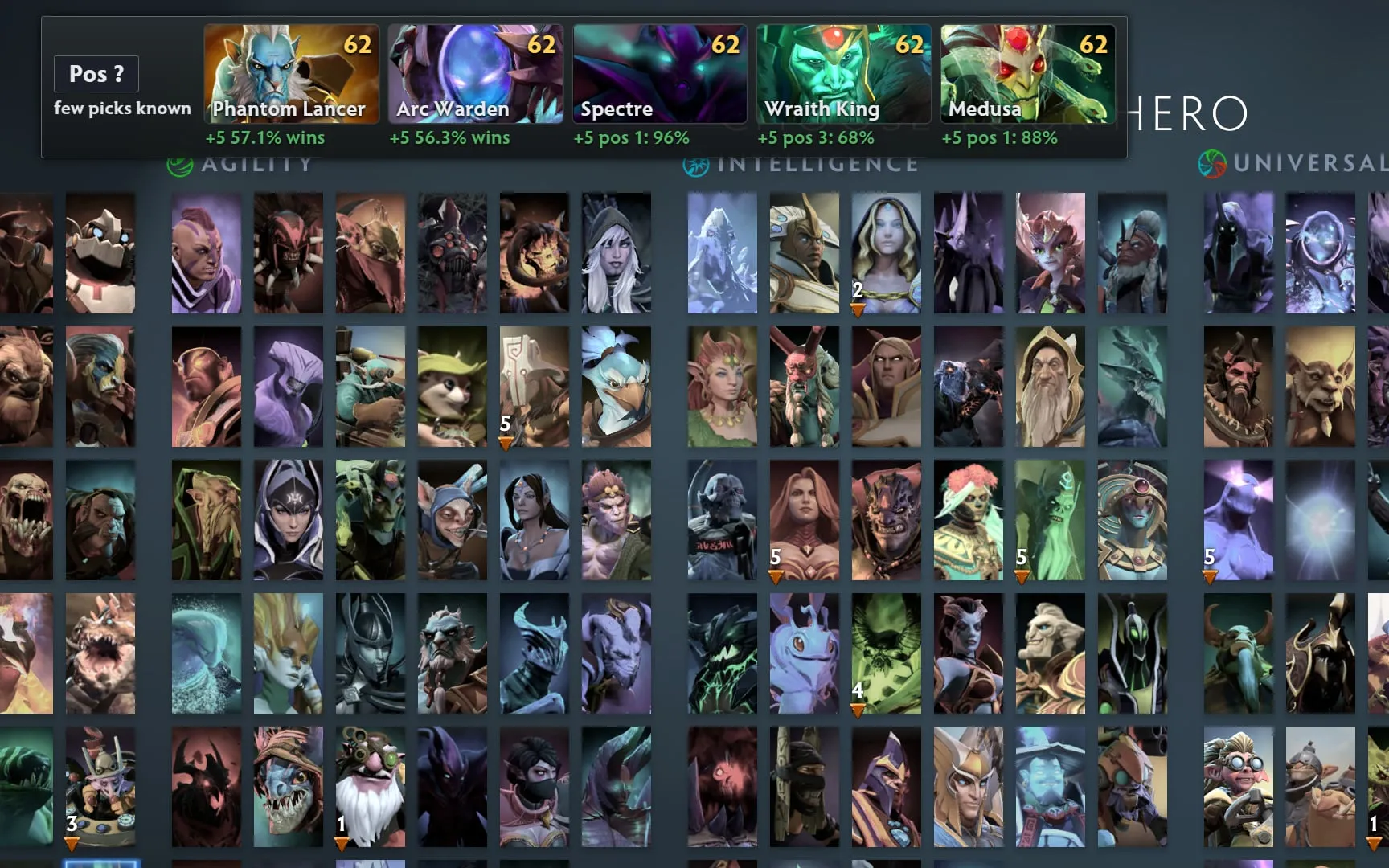
  • Hero suggestions: 3–5 options right on the selection screen.
  • A score with a reason: under each hero, the main reason for the pick — counter, synergy, win rate, position or your results on that hero.
  • Your priorities: choose what matters more — counters, synergy, patch win rate or position.
  • Hero pool: suggestions take into account the heroes you play.
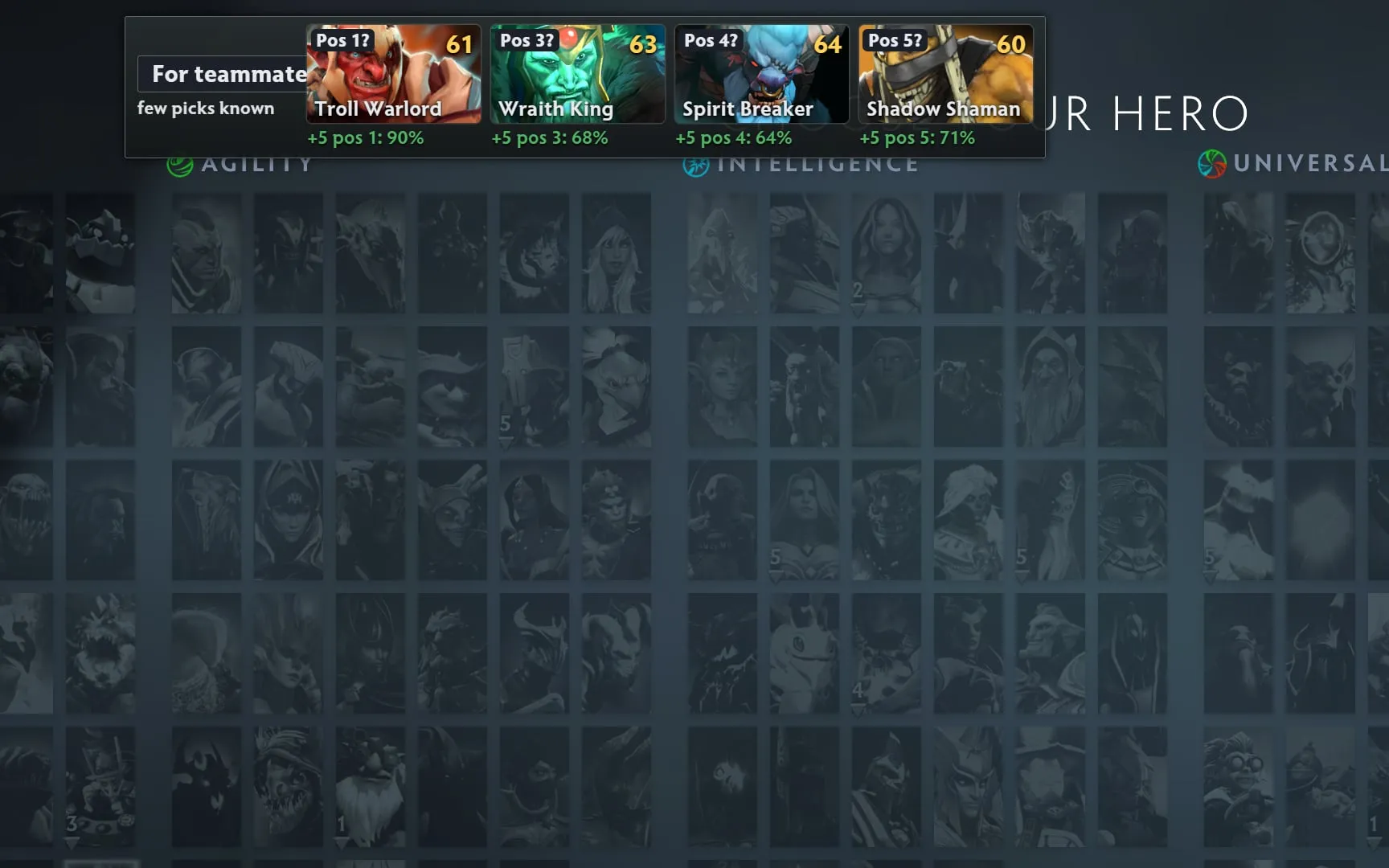
  • Party suggestions: after your pick, a fitting hero for each teammate who hasn’t picked yet.
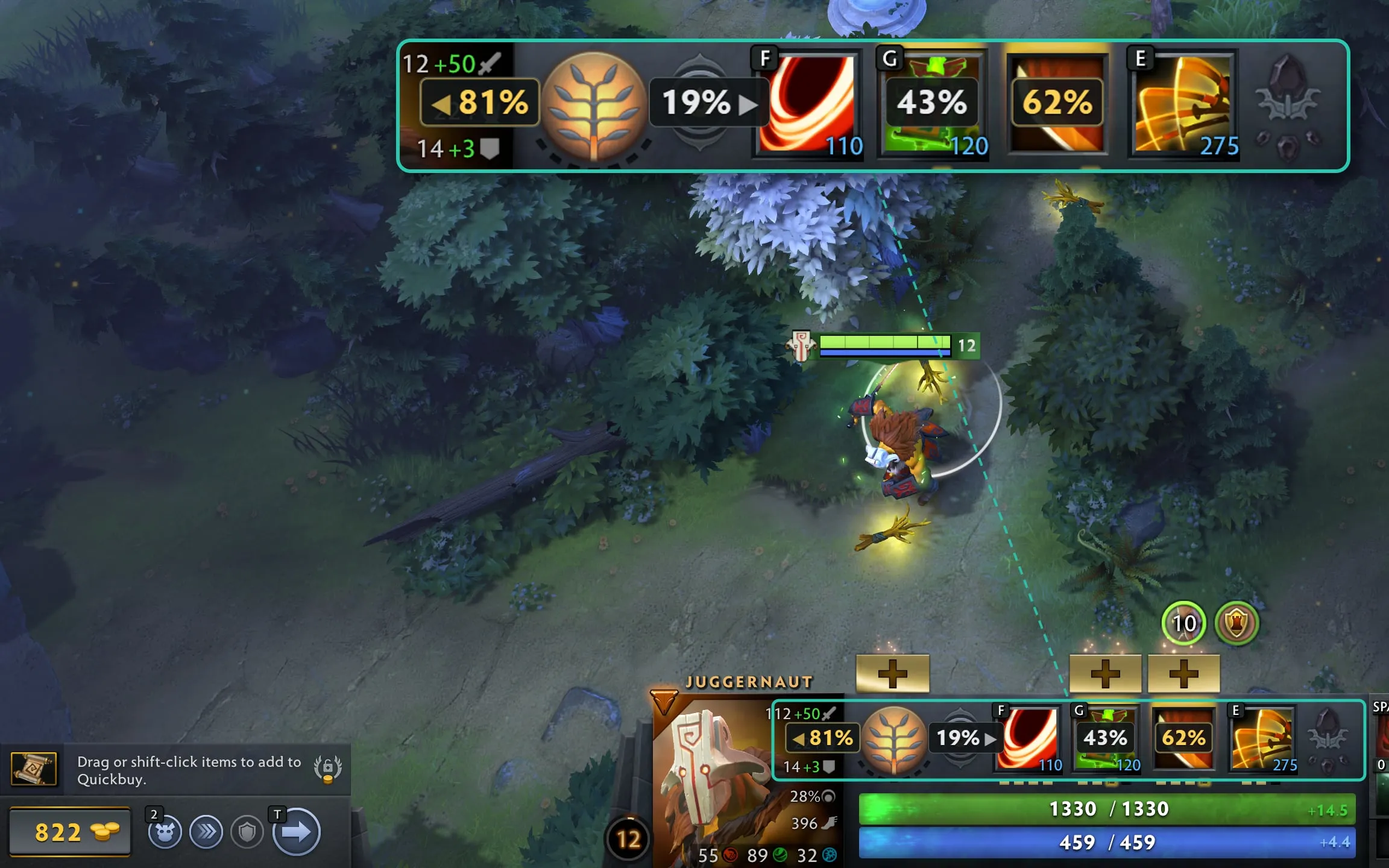
  • Position switch: change your position with a hotkey if roles in the team change.

What’s happening on the map

Free
  • Reminders: TP, buyback, wards, stash, neutral slot, unreliable gold.
  • Urgent prompts: low health, silence and disarm. The last two only show when you have an item ready to remove the effect, and not while you’re stunned, hexed or muted.
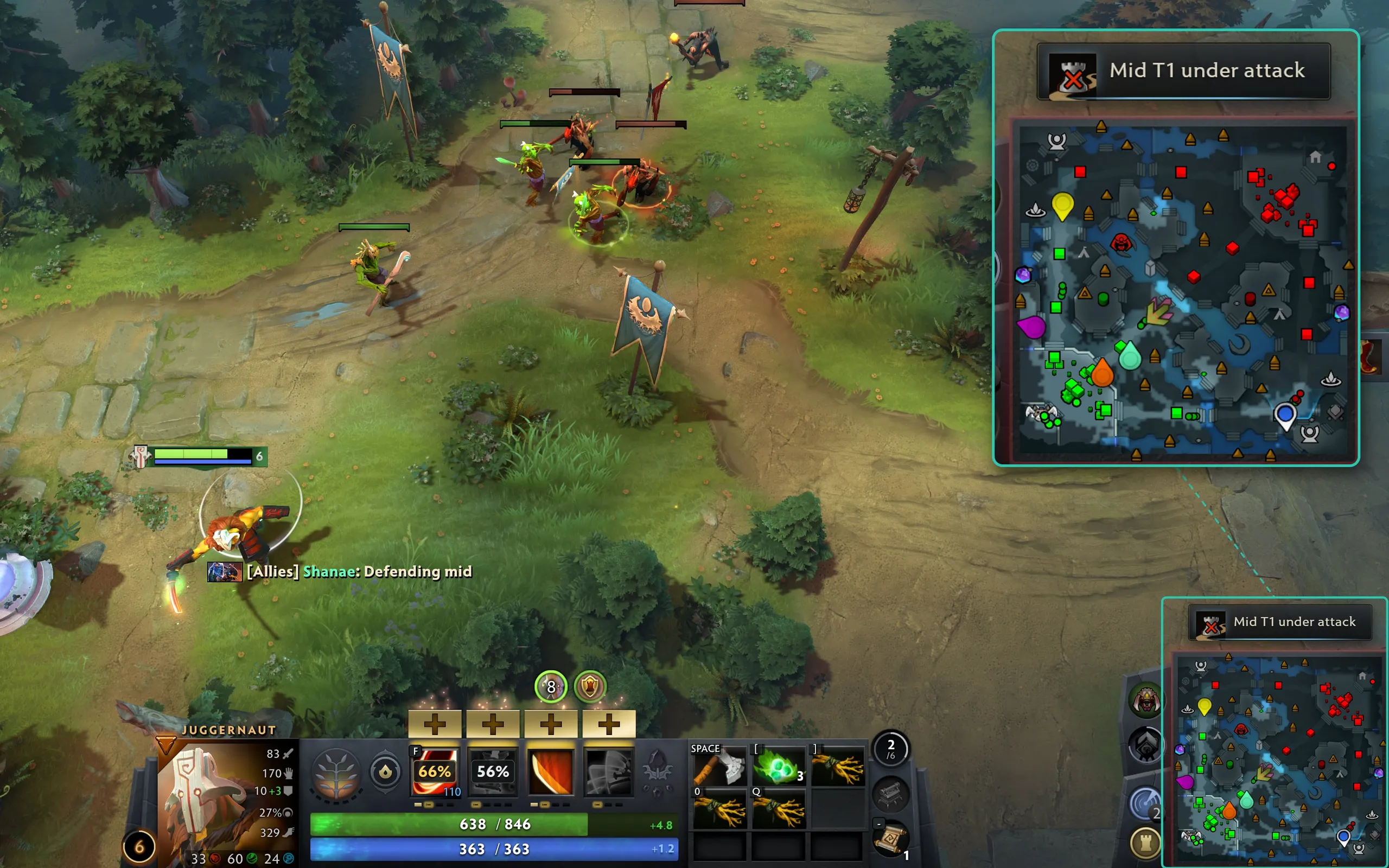
  • Building attacks: a flash on the minimap and a note saying which tower is under attack.
  • Minimap highlight: a gentle reminder to check the map.
Premium
  • Missing enemies: who dropped off the minimap and from which lane. You set how long to wait before the warning.
  • Throne attack: a separate alert, so you don’t miss the enemy trying to end the game.
  • Ward spots: three spots on the minimap for the current minute and your side.

What to fix in your next match

Free
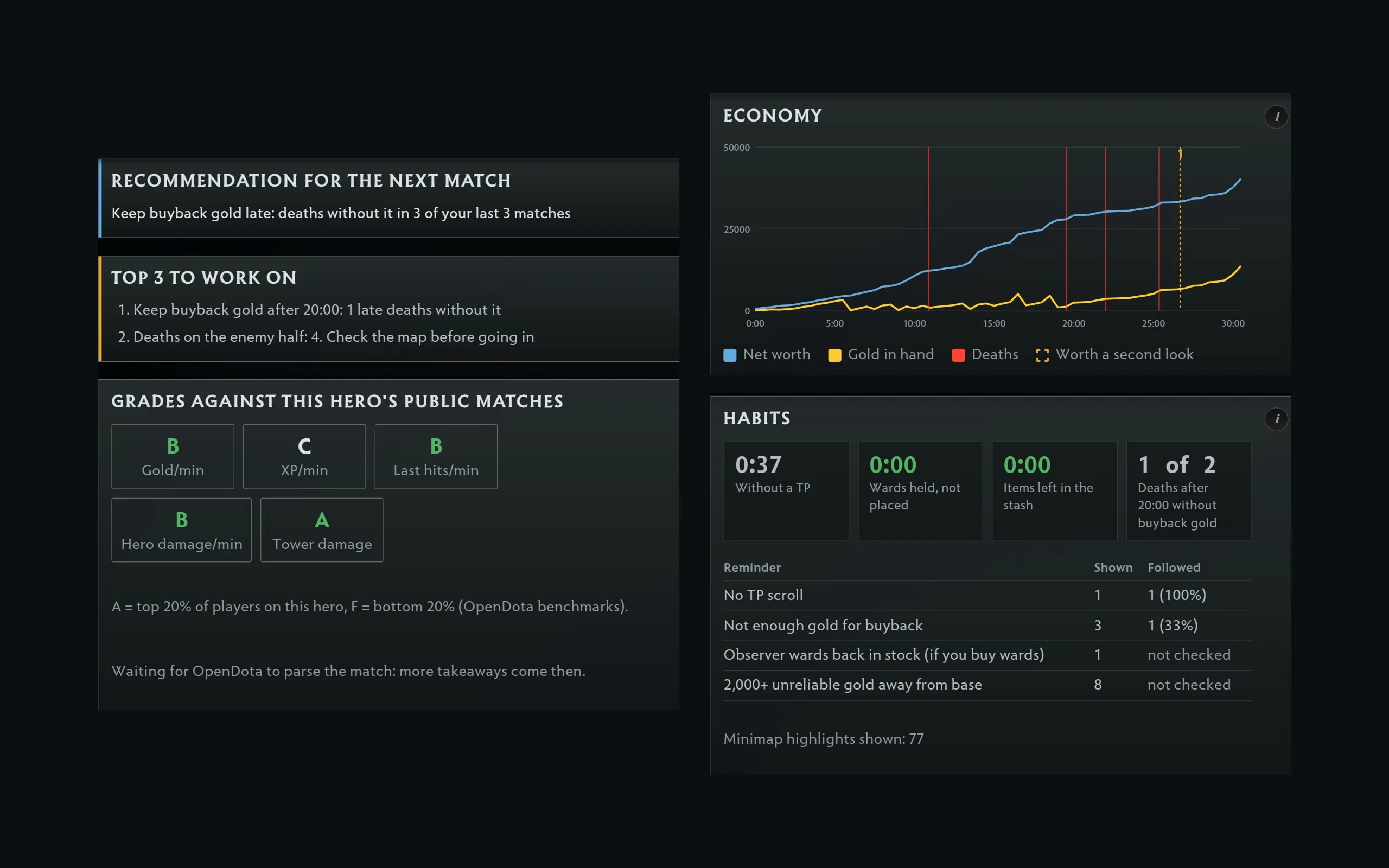
  • Grades: A to F for gold, XP, last hits and damage, compared with public matches on your hero.
  • What to work on: specific advice based on your numbers from the match.
  • Economy chart: how your gold changed over the game.
Premium
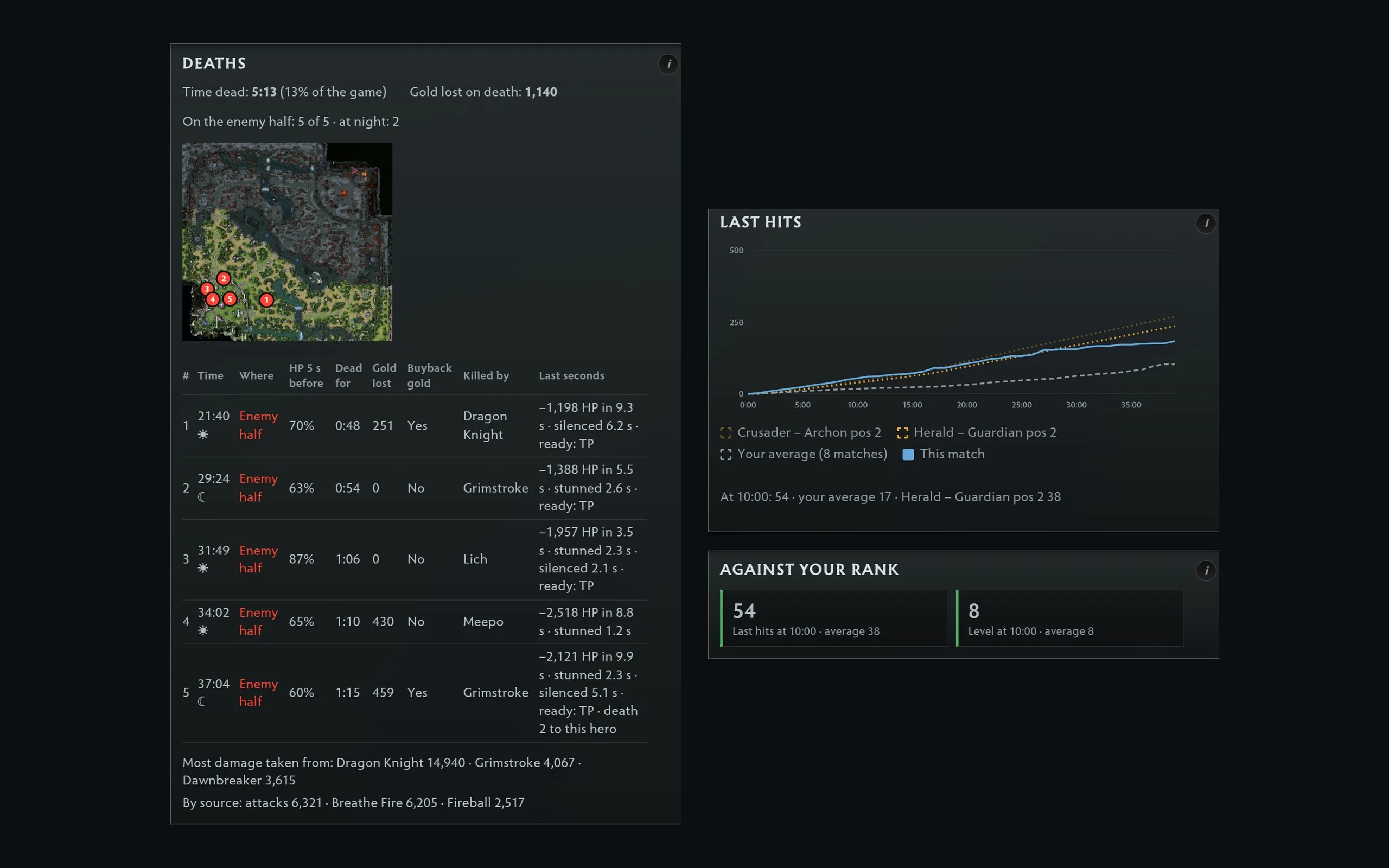
  • Death review: where and why you died, and what would have saved you.
  • Rank comparison: last hits by minute compared with players of your rank and position.
  • History and trends: habits and mistakes that repeat across your matches.
  • Match goals: up to three personal goals, checked after the game.

Free and Premium features

FeatureFreePremium$4.99/month
Timers
Roshan timerIncludedIncluded
Rune and lotus timersIncludedIncluded
Enemy glyph timerIncludedIncluded
Stack timerIncludedIncluded
Aegis timerNot includedIncluded
Enemy buyback timersNot includedIncluded
Items and skill build
Item recommendationsIncludedIncluded
Situational itemsIncludedIncluded
Item purchase timingsIncludedIncluded
Skill build statisticsNot includedIncluded
Draft
Hero recommendationsNot includedIncluded
Recommendation settingsNot includedIncluded
Recommendations for teammatesNot includedIncluded
Map and reminders
In-game remindersIncludedIncluded
Building attacksIncludedIncluded
Reminder to check the mapIncludedIncluded
Throne attackNot includedIncluded
Missing enemiesNot includedIncluded
Ward spotsNot includedIncluded
After the match
Match reviewIncludedIncluded
Death analysisNot includedIncluded
Comparison with players of your rankNot includedIncluded
Match history and progressNot includedIncluded
Goals for the gameNot includedIncluded
More
Meta FeedIncludedIncluded
Overlay settingsIncludedIncluded
Last-hit paceNot includedIncluded
Custom remindersNot includedIncluded

Why DotaPrime

  • Everything you need, right in the game

    Timers, alerts and hints appear on top of Dota 2. No switching to websites, opening stats or looking things up during the match.

  • From the draft to the match review

    Hero recommendations during the pick, help during the game and a review afterwards: tools for every stage of the match in one app.

  • A standalone app, no Overwolf

    DotaPrime runs without Overwolf and shows no ads. The overlay appears on top of Dota 2 and hides automatically when you switch to other windows.

Is DotaPrime safe to use?

DotaPrime gets most of its game data through Game State Integration (GSI), Valve’s interface that lets apps receive information about the current match. For some features, the app also reads certain areas of the screen.

We don’t interfere with the game and never access data hidden from your team.

  • No access to game memory: DotaPrime doesn’t read or change the game’s memory or files.
  • No code injection: the app doesn’t inject code into Dota 2. Setting up GSI adds a config file, and the launch option and display mode change only when you choose to.
  • Nothing from the fog of war: the app uses only data your team can see.
  • Processed on your computer: when it reads enemy portraits, your rank and the draft, frames are processed locally, never saved and never sent to a server.

About DotaPrime

DotaPrime is an independent project, made by Dota 2 players for players. Our goal is to bring useful tools for the game together in one app.

Hero statistics are based on data from OpenDota and STRATZ.

Have a suggestion or found a bug? Write to us.

Report a bug

Start free. Get more with Premium.

The core of DotaPrime is free. Premium unlocks the app’s advanced features. Choose a yearly or a monthly subscription.

Free

Basic access

$0

Use the core of DotaPrime with no payment and no subscription.

Download for free
25% better value

Premium for a year

$44.99 / year

Only about $3.75 a month. Save 25% compared with paying monthly.

Try 7 days free
Flexible

Premium for a month

$4.99 / month

Every Premium feature, without paying for a whole year upfront.

Try 7 days free

Premium goes on sale soon. Until then, try it free: 7 days of Premium after you create an account in the app. The yearly subscription is billed once for the whole year, the monthly one every month. Payment is processed by Creem, the merchant of record. Cancel any time at account.dotaprime.com/premium; Premium stays available until the end of the paid period.

Start playing in three steps

  1. Install DotaPrime

    Download the app and run the installer. DotaPrime keeps itself up to date.

  2. Set up the app

    The setup wizard finds your Dota 2 and gets the game ready for the overlay: it sets up Game State Integration and the launch option.

  3. Start a match

    You’re all set. The overlay appears over Dota 2 and hides automatically when you switch to another window. You can set the position, size and colour of every element to suit you.

FAQ

How do I install DotaPrime?

Download the installer and run it. The setup wizard finds Steam and gets Dota 2 ready for the app: it adds the Game State Integration config file and sets the launch option.

At the relevant steps the wizard asks you to close Steam and Dota 2. It can also switch the game to borderless window mode. When setup is done, restart Dota 2.

If Windows shows a warning, click “More info” → “Run anyway”. Installers are downloaded only from download.dotaprime.com, and the notes for each release are published on GitHub.

Which languages does DotaPrime support?

The app is available in English, Russian and Ukrainian. It uses your system language by default, and you can change it in the app settings.

Which display mode should I use?

We recommend borderless window mode: it lets the overlay show on top of the game. The setup wizard can switch Dota 2 to this mode for you.

I can’t see the overlay. What should I check?

The overlay shows during a match. Check that DotaPrime is running, Game State Integration is set up and Dota 2 runs in borderless window mode.

If the problem remains, restart the game and the app.

How do I move overlay elements?

Press Ctrl+Shift+F8 to turn on overlay editing mode. Drag the elements where you want them and press Enter to save the layout.

What are the default hotkeys?

All of them work inside Dota 2 too:

  • Ctrl+Shift+F9: show or hide the overlay.
  • Ctrl+Shift+F8: overlay editing mode; arrange the elements and press Enter.
  • Ctrl+Shift+F7: item hints; show them, add alternatives, hide them.
  • Ctrl+Shift+F6: input mode; for 30 seconds you can click overlay elements.
  • Ctrl+Shift+F5: copy the last team hint or the next timer for chat.
  • Ctrl+Shift+F4: switch your position in the draft.
  • Ctrl+Shift+F10: pause hints for 5 minutes.
  • Ctrl+Shift+F11: mute or unmute sound.
  • Ctrl+Shift+F12: repeat the last hint.

You can change any of them in the app settings.

How does DotaPrime get game data?

Most of the data comes through Valve’s Game State Integration (GSI). Once it is set up, Dota 2 sends the app information about the current match.

Some features also read certain areas of the screen, such as the draft, the scoreboard and your medal.

Is DotaPrime a cheat? Can I get banned?

DotaPrime doesn’t read or change the game’s memory, doesn’t inject code into Dota 2 and doesn’t show information hidden from your team.

The app uses Game State Integration and reads certain areas of the screen for some features.

Is DotaPrime safe for my Dota account?

DotaPrime never reads or changes the game’s memory and injects nothing into Dota 2.

The app gets match data through Valve’s official Game State Integration (the same interface tournament overlays use) and from public data from OpenDota and Valve.

The optional reading of the top bar on the screen happens on your computer, in memory: no images from the screen are saved or sent.

What data the app sends, and where, is described in the Privacy Policy.

DotaPrime says Dota is running but gets no data. What should I do?

Check that the Game State Integration config file is in the right Dota 2 folder and that the launch option is set. The file is called gamestate_integration_dotaprime.cfg and sits in game\dota\cfg\gamestate_integration inside the Dota 2 folder.

To check the launch option yourself, open Steam → Library → right-click Dota 2 → Properties → General → Launch options. The field should contain -gamestateintegration. If it doesn’t, add it.

If the setup wizard has already run, try restarting Steam, Dota 2 and DotaPrime.

Will DotaPrime slow down the game?

DotaPrime uses a light overlay that shows on top of the game. If you notice a drop in performance, turn off the features you don’t use and tell us about it.

How do I report a bug?

Go to the “Report a bug” page, give the app version and describe the steps that lead to the problem.

If needed, attach a diagnostics report: copy it in the app settings with the “Copy diagnostics” button. Your Steam ID, secret token and user folder path are removed from it.

Is it free?

DotaPrime has a free version with no ads. It includes:

  • Roshan, rune and lotus, enemy glyph and stack timers.
  • In-game reminders, building attack alerts and a reminder to check the map.
  • Item recommendations, including ones for the enemy lineup, and item purchase timings.
  • The Meta Feed.
  • Match review and overlay settings.

Premium adds:

  • Hero recommendations in the draft, including for teammates.
  • Skill and talent build recommendations.
  • Aegis and enemy buyback timers.
  • Last-hit pace.
  • Missing-enemy and throne attack alerts, ward spots and custom reminders.
  • Death analysis, comparison with players of your rank, match history and goals for the game.
What’s the difference between monthly and yearly billing?

Both give you the same Premium features.

With monthly billing, the subscription renews every month. With yearly billing, you pay for the whole year at once.

How does the free trial work?

After you create an account, you get 7 days of Premium for free. No bank card needed.

When the trial ends, your account automatically moves to the free plan. You won’t be charged. If you want to keep Premium, you can subscribe yourself.

How do I cancel Premium?

You can cancel any time: in the app (Settings → Account → Manage Premium) or at account.dotaprime.com/premium. Premium stays until the end of the period you paid for.

After you cancel, Premium stays available until the end of the period you already paid for.

How is DotaPrime different from Dota Plus?

Dota Plus is Valve’s paid subscription inside Dota 2: hero, item and ability suggestions, statistics, challenges and cosmetic rewards.

DotaPrime is a separate app, not affiliated with Valve. It has Roshan, rune and stack timers, reminders and alerts about what’s happening on the map, draft suggestions with the reason behind each one, and a match review with grades and advice.

DotaPrime’s core features are free. You can use it alongside Dota Plus or instead of it.

Try DotaPrime in your next match

Free version for Windows 10/11 and macOS.

Get DotaPrime for your PCDownload